Pangu8
Supported devices: iPhone 6, iPhone 6 Plus, iPhone 5s, iPhone 5c, iPhone 5, iPhone 4s, iPad 2, iPad 3, iPad 4, iPad Air, iPad Air iPad 2, iPad mini 1, iPad mini 2, iPad mini 3, iPod Touch 5.
Supported firmwares: iOS 8.0, 8.0.1, 8.0.2, 8.1, 8.1.1, 8.1.2, 8.2 beta.
What to do before jailbreaking
What to do now that you have a jailbroken device? Wait for my next posts!
Supported devices: iPhone 6, iPhone 6 Plus, iPhone 5s, iPhone 5c, iPhone 5, iPhone 4s, iPad 2, iPad 3, iPad 4, iPad Air, iPad Air iPad 2, iPad mini 1, iPad mini 2, iPad mini 3, iPod Touch 5.
Supported firmwares: iOS 8.0, 8.0.1, 8.0.2, 8.1, 8.1.1, 8.1.2, 8.2 beta.
What to do before jailbreaking
- You must turn off lock screen passcode and/or Touch ID. You can turn it off from Settings > General > Touch ID & Passcode > turn off Simple Passcode.
- Disable Find My iPhone. You can disable Find My iPhone from Settings > iCloud > Find my iPhone.
- Over-the-air updated version of iOS usually won't work, you might need to have an iTunes restored version of iOS 8 up to 8.1 installed on your device. If you updated your firmware via OTA, you can download latest iOS for your device from here, and restore using iTunes.
- Backup your device before proceeding, through iTunes or iCloud. Just preparing if something go wrong.
- Download TaiG.
- Connect your iPhone, iPad or iPod touch to your computer with the USB cable.
- Uncheck the second checkbox (prevent TaiG from installing TaiG app store, you don't need it), and press the big green button.
 When the process is finished, you can find Cydia on your homescreen!

What to do now that you have a jailbroken device? Wait for my next posts!


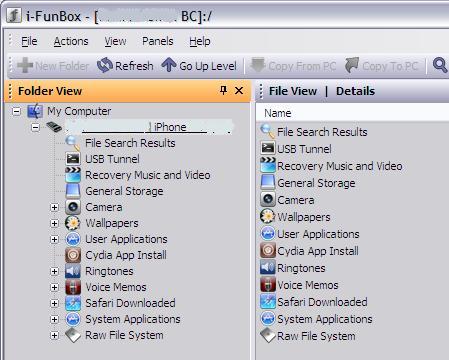


Tutorial: How To Jailbreak iOS 8.1.1 and 8.1.2 Untethered With TaiG